Personal UX/UI Concept Project

AcclimatizeMeNow

Year

2025

Project Type

Personal UX/UI Project

My Role

Research, UX/UI Design & Prototyping

Outcome

Interactive Figma Prototype

01. The Project

AcclimatizeMeNow is a UX/UI concept I created around active travellers moving between places with different temperatures and altitudes. The idea was to give someone a simple way to compare their home location with their destination and then point them towards relevant information before or during the trip.

I wanted to explore how environmental information could be presented without turning the app into a complicated weather or fitness dashboard. The focus was on the journey through the information rather than building a fully functional health or travel application.

Design Scenario

I designed the concept around people who want to remain active while travelling, such as runners, cyclists and hikers. This was a design scenario rather than a claim that one particular demographic represents all users of this type of product.

Main Goals

  • •
    Compare locations: Give the user a quick view of the difference between their home location and destination.
  • •
    Make altitude and temperature easier to notice: Bring the environmental information into the main journey rather than hiding it across different screens.
  • •
    Keep guidance easy to reach: Let users move from the comparison into relevant temperature or altitude information.
  • •
    Keep the interface simple: Avoid presenting the concept as a full fitness tracker or a replacement for specialist health advice.
02. Secondary Research

The project was based mainly on secondary research rather than interviews with real travellers. I looked at reliable health guidance around altitude and heat, then compared that with the types of weather and elevation information people can already access through existing products.

Altitude Sickness

NHS guidance explains that altitude sickness can occur at high altitude, usually above 2,500 metres, and that travelling or climbing to altitude too quickly increases the risk. Gradual ascent gives the body more time to adjust.

NHS guidance

Adjusting to Altitude

The CDC Yellow Book explains that the acute acclimatisation process takes place mainly over the first 3 to 5 days after ascent. It also recommends only mild exercise during the first 48 hours at high altitude.

CDC guidance

Heat Acclimatisation

CDC travel guidance says most heat-acclimatisation changes occur within around 10 days when there is a suitable amount of daily exercise in the heat. If prior acclimatisation is not possible, it recommends reducing exercise intensity and duration during the first week.

CDC heat guidance

Elevation in Fitness Apps

Strava already uses elevation information in activities and routes. Its elevation profile shows climbing and descending, and route planning can take elevation into account. This gave me a useful reference for how people already encounter elevation data in a fitness context.

Strava elevation guidance

How This Influenced the Concept

  • •
    Make environmental change visible: The comparison screen became the main part of the concept so temperature and altitude differences were easy to spot.
  • •
    Link data to guidance: Instead of stopping at a number, the prototype gives the user a route into altitude or temperature information.
  • •
    Avoid treating every traveller the same: The research showed that adjustment takes time and varies with conditions, so the concept should not promise that a single recommendation will make someone acclimatised.
  • •
    Keep health information within clear limits: A real version would need authoritative sources and should direct users towards professional or emergency advice where appropriate rather than acting as a diagnosis tool.
03. UX Process
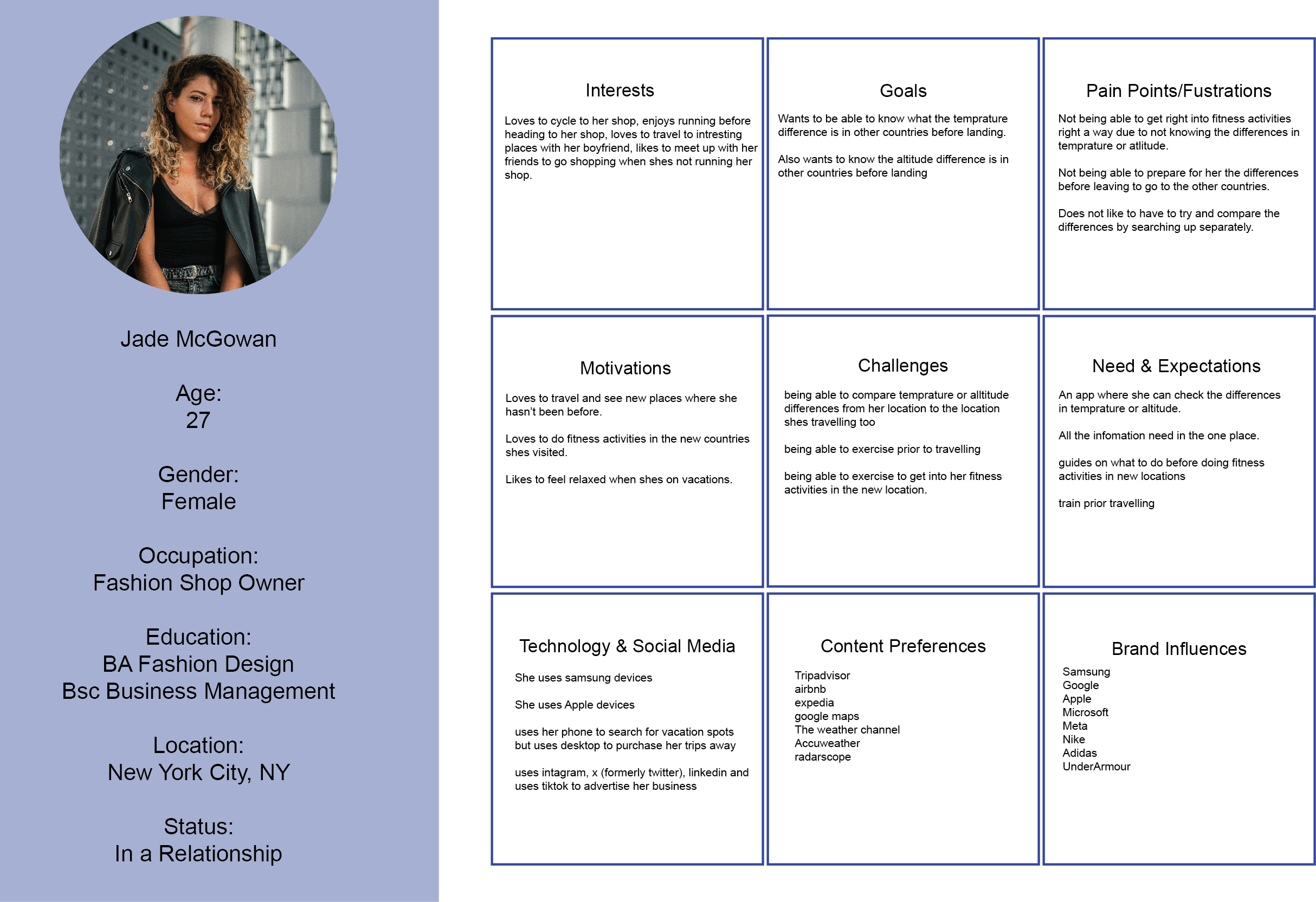
Fictional persona created for the AcclimatizeMeNow project
Fictional / Provisional Persona

Jade McGowan

Jade was created as a fictional persona to give the project a consistent user scenario. She was not a real interview participant and the persona should not be read as primary user research.

I used the persona to think through the needs of an active traveller who wants to continue exercising while visiting a destination with different environmental conditions.

User Flow

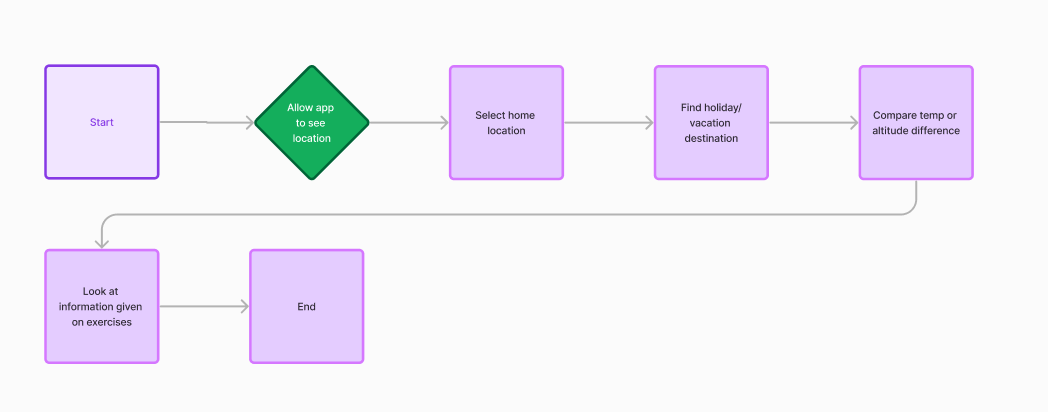
I mapped the main journey before moving into the higher-detail interface. The flow starts with location information, moves into a home-versus-destination comparison, and then gives the user a route into either altitude or temperature guidance.

AcclimatizeMeNow user flow diagram
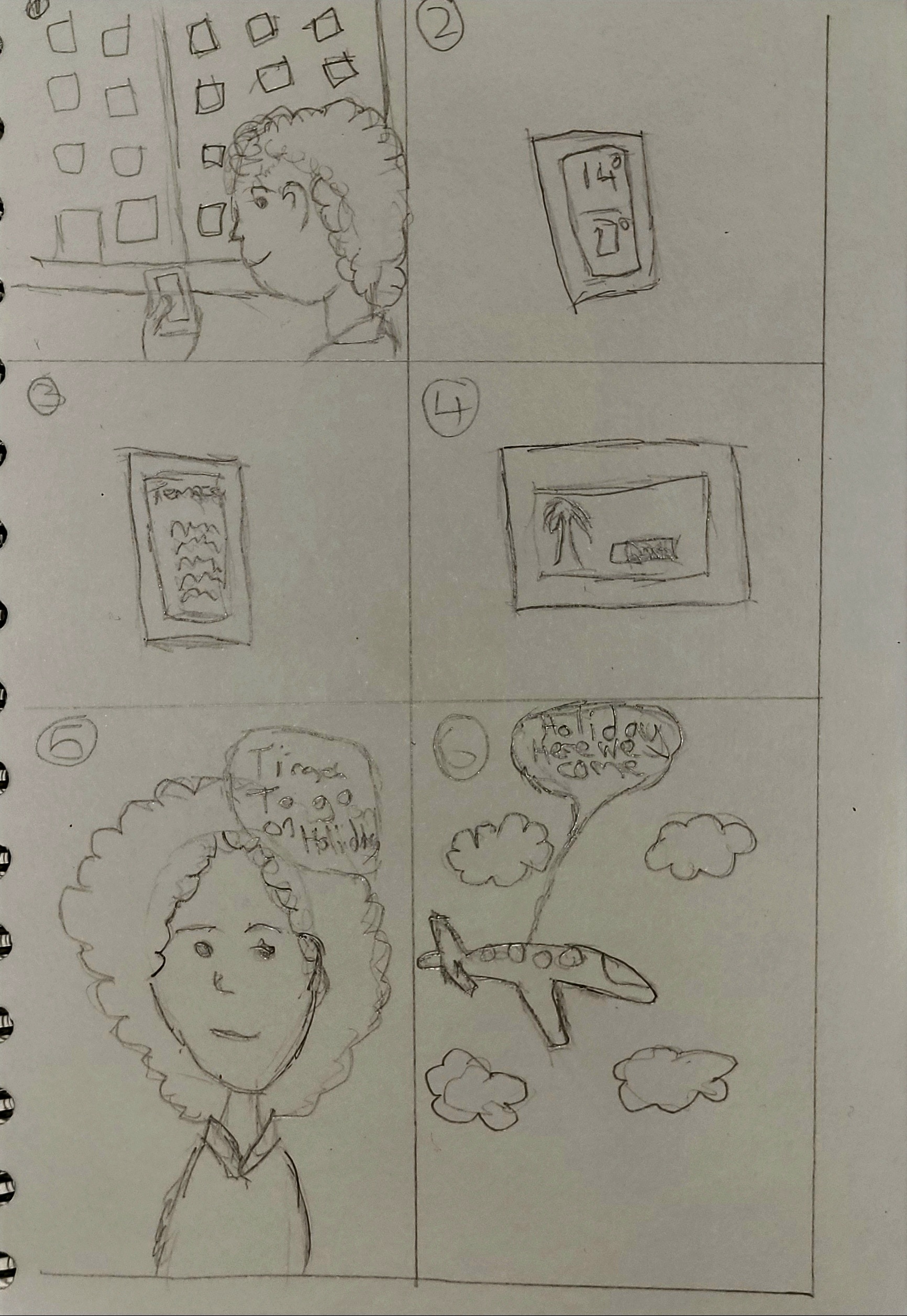
AcclimatizeMeNow storyboard

Storyboard: I used the storyboard to think through where the app could fit into the traveller's journey rather than starting immediately with individual screens.

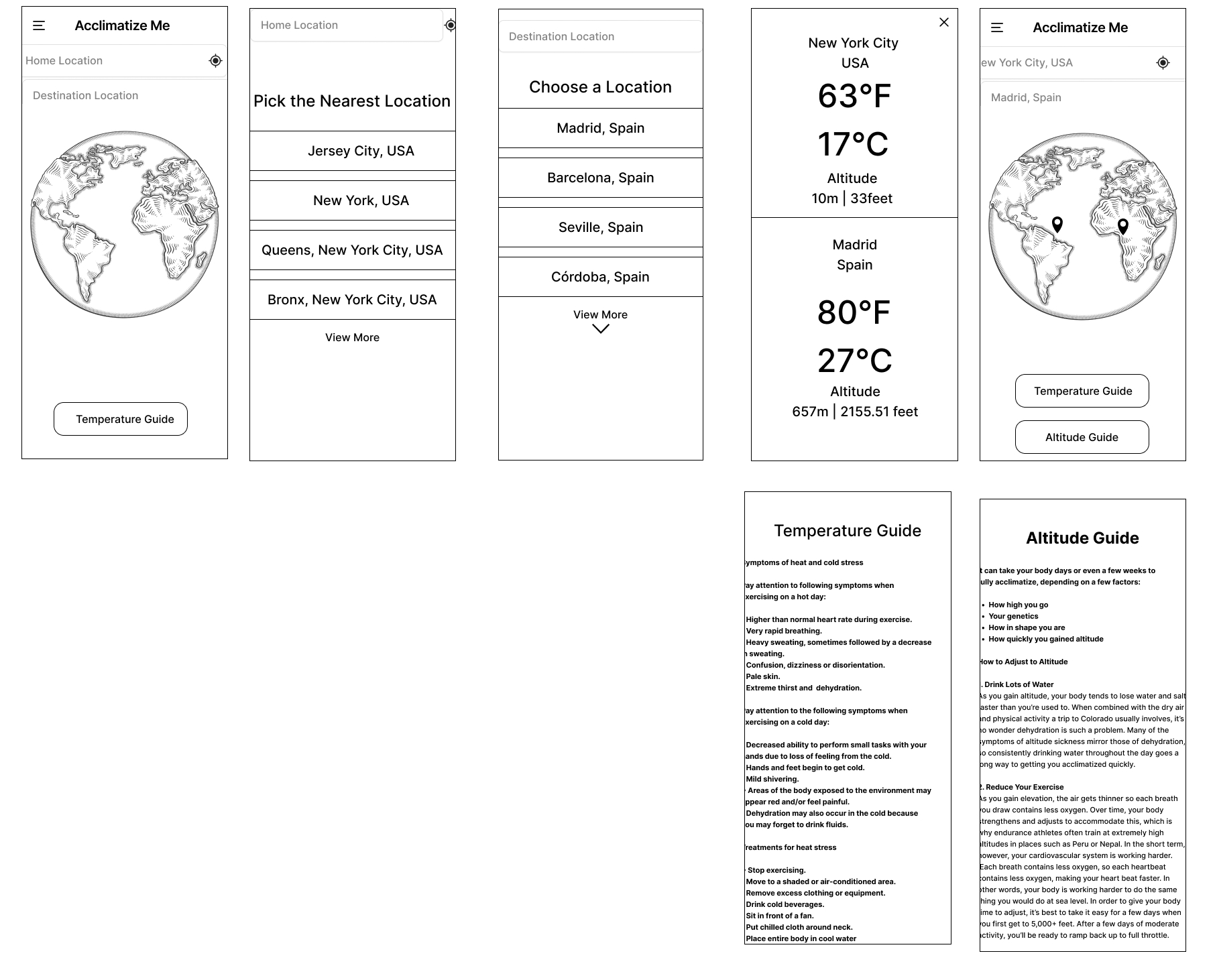
AcclimatizeMeNow wireframes

Wireframes: The early screens focused on the location comparison and keeping the route into environmental guidance straightforward.

04. Design Solution

The final concept centres on comparing a home location with a travel destination. From there, the user can view the difference in temperature and altitude and move into the relevant guide.

I kept the interface fairly neutral and avoided turning the prototype into a detailed fitness dashboard. The prototype was intended to test the structure and interaction of the idea, so the environmental values are part of the concept rather than live information from a weather or elevation API.

Core Prototype Features

  • •
    Home and destination selection: Let the user establish the two locations they want to compare.
  • •
    Temperature and altitude comparison: Present the environmental difference as part of one simple journey.
  • •
    Guidance screens: Give the user a direct route into supporting information after seeing the comparison.
  • •
    Interactive navigation: Use a clickable prototype so the concept could be followed as a journey rather than viewed only as individual screens.
05. Challenges & Changes

Getting Used to Figma

One of the main challenges with this project was that it was one of my first times using Figma properly. Before this, I was more familiar with Adobe XD, so although the two programs had similarities, I still had to get used to Figma's layout, tools and prototyping workflow.

Some parts of the design process felt more fiddly than I expected at first because I was learning the software while also trying to build the project. As I worked through the wireframes and interactive prototype, using Figma became more natural and I became more comfortable with how the different tools worked.

Because of that, this project was useful for more than just the final concept. It was also one of the projects that helped me move from mainly using Adobe XD into being more comfortable designing and prototyping in Figma.

06. Prototype Outcome

The final outcome was an interactive Figma prototype rather than a developed mobile application. It allows someone to move through the main concept, select locations, view the comparison and open the supporting temperature and altitude guides.

I have not described the prototype as validated because I did not run a formal usability study with real participants. The outcome demonstrates the interaction and visual direction of the idea, but it does not prove that the flow would work without friction for real users.

Final Deliverable

Interactive Figma Prototype

UX Artefacts

Persona, Flow, Storyboard & Wireframes

07. Limitations & Looking Back

The biggest limitation is that the project was based on secondary research and a fictional persona. I did not interview active travellers or test the prototype with people preparing for high-altitude or hot-weather trips, so the design decisions still need to be validated with real users.

The health side of the concept would also need much more care if it were developed further. The prototype is not a medical product, the guidance has not been clinically validated, and a real version should use authoritative health sources and make it clear when a user needs professional or emergency advice.

Looking back, the project was useful because it gave me a reason to work through a complete UX process while also learning Figma. If I continued it, I would start with primary user research and usability testing before expanding the feature set. I would then look at reliable weather and elevation APIs, accessibility testing and the technical requirements of turning the prototype into a working application.